Focus M2 GEN 7
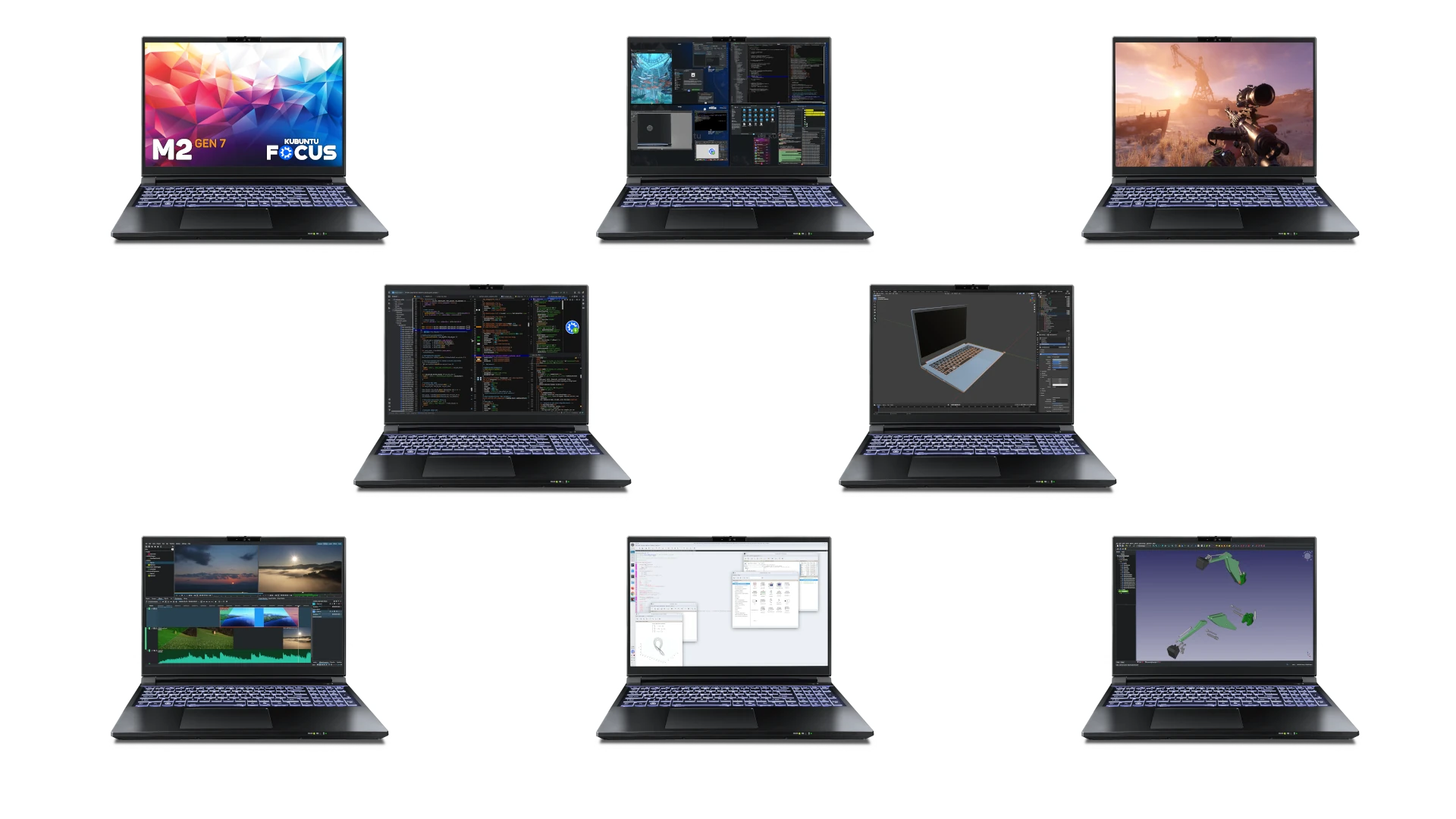
The M2 GEN 7 workstation combines the best out-of-the-box, validated Linux experience with some of the powerful mobile hardware available. Recommended for software development, 3D modeling, Kubernetes clusters, AAA Steam games, machine learning, and content creation. Despite its impressive capabilities, the system is thin and light, and remains nearly silent when running all but the most demanding workloads.
Zip through single- and multi-core jobs with the cool and efficient Ultra 9 290HX Plus “Arrow Lake Refresh” CPU. This processor packs 24 cores, 24 threads, and 36 MB of Smart Cache. Combined with high-speed RAM, the CPU performance exceeds most mobile and desktop systems. Geekbench tests show performance increases of 5% and 11% for single- and multi-core scores over the i9-14900HX CPU from the M2 GEN 5 model.[01]
While the performance bump is impressive, the big story with this CPU is the leap in efficiency. Intel claims a 40% improvement over the i9-14900HX, and our experience supports this. The power supply is 50 W smaller, yet the workstation is faster, cooler, thinner, lighter, and quieter.[01a]
Get amazing performance and features with performance-tuned[02] NVIDIA® GeForce® RTX Blackwell GPUs. Fourth-gen ray-tracing and fifth-gen tensor cores provide a significant performance increase across all workloads tested, including machine learning, video editing, simulations, 3D rendering, and Steam games.
Example improvements of the RTX 5070 Ti over the RTX 4070 include 44% FPS in Unigine Heaven Ultra, 33% FPS in Unigine Superposition Extreme, and 35% in Blender video and scene rendering benchmarks. This GPU outperforms all but the most expensive and advanced desktop graphics cards.
Each mobile workstation also has an integrated Intel iGPU with 4 Xe cores at 1.9 GHz. The M2 will remind you to use this GPU when on battery power to conserve energy. It provides strong desktop performance and is also useful when you want to use all the VRAM of the NVIDIA GPU for tasks like ML or 3D rendering.
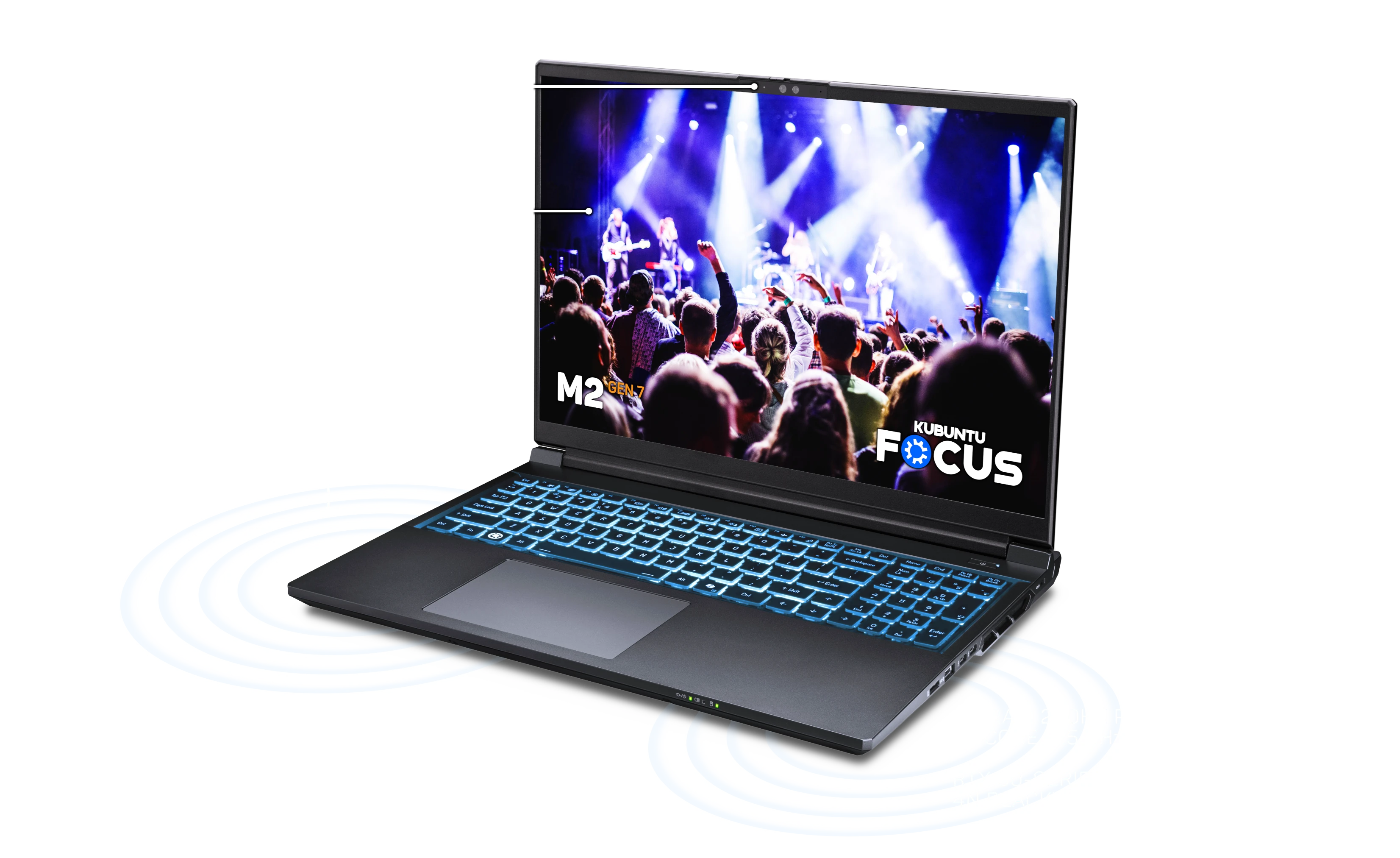
The M2 GEN 7 provides a compelling balance of performance, features, value, and reliability. It features premium build, with an aluminum deck and lid, and durable resin screen bezel, keys, and back panel. Everything you see, touch, and hear exudes quality, including Audio & Visual, Keyboard & Touchpad, and Focus Tools.
Enjoy a feast for your eyes and ears. Tackle demanding simulations and games on a 16.0" IPS WQXGA (2560 x 1600) display with 525 nits brightness, G-Sync, and wide viewing angles (> 135°).
Join web meetings with no setup using the crisp, 5.0 megapixel 2880x1800 webcam, the integrated noise-cancelling microphone array, and the crisp and loud high-dynamic-range stereo speakers. Protect your privacy with the integrated physical privacy webcam cover.
The Focus Hardware System optimizes the multimedia hardware by setting kernel parameters and other configurations for the iGPU, Nvidia GPU, sleep-resume, and sound.
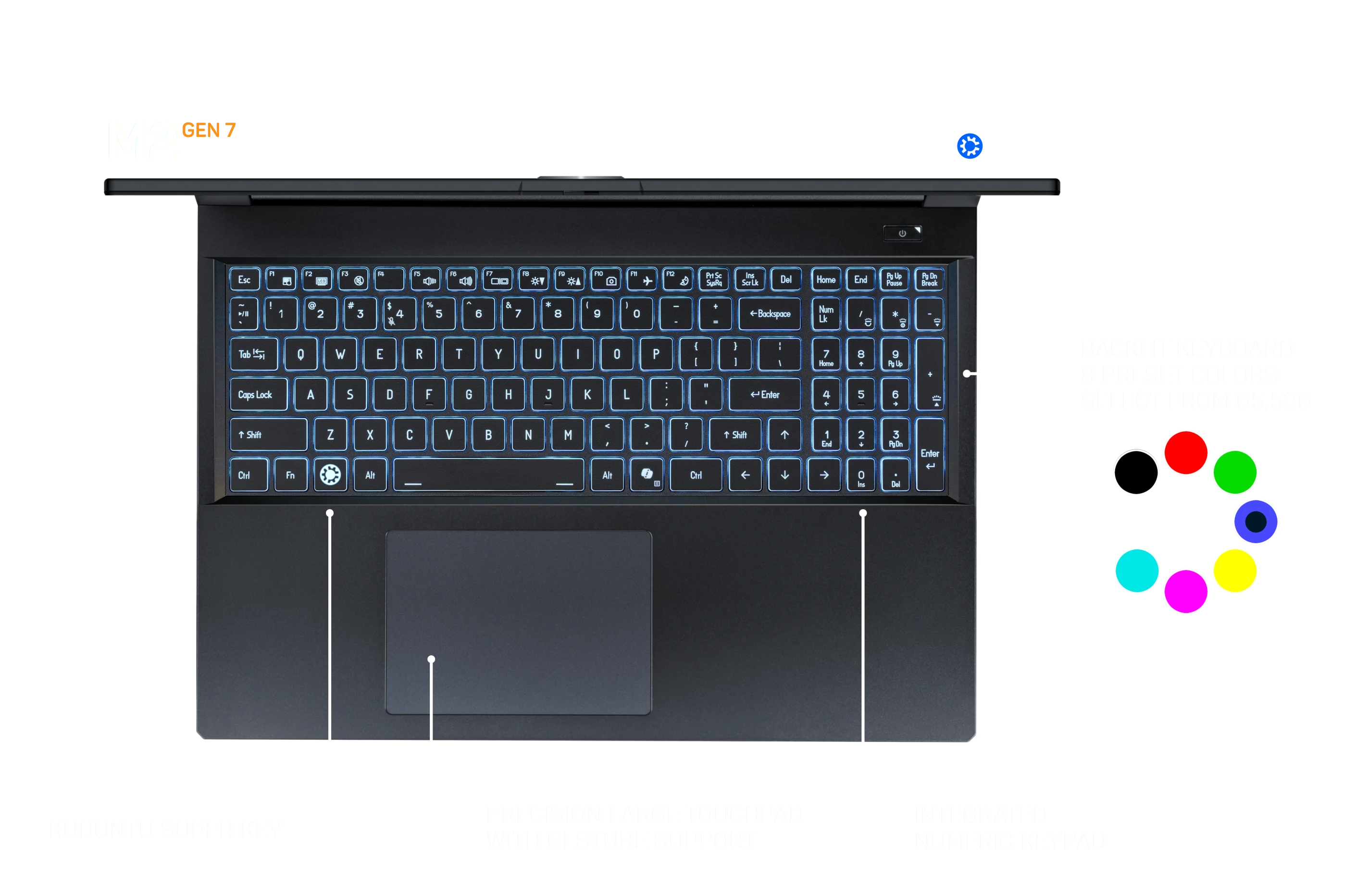
Control your computer with precision. Light your keys with one of 65,536 colors. Type quickly and accurately with reliable scissor mechanisms and 3.5 mm of travel. Use two- and three-finger gestures on the precision glass touchpad to tap and scroll quickly through documents.
The Focus Hardware System optimizes for the keyboard and touchpad: it adjusts the Hints Widget to provide guidance specifically for the model; it configures the touchpad driver sensitivity and multitouch support; and it installs a driver and tool to set and preserve the keyboard’s LED color.
Make hard things easy with open-source Kubuntu Focus Tools. These are integrated with Kubuntu 26.04 LTS and are enhanced automatically with regular software updates.
Use System Rollback to take complete, cohesive snapshots of your system disk and restore them with a click. Open Power and Fan to control CPU power, brightness, frequency, and fan settings. Unplug the power to see settings adjust in real time to maximize battery life.
Get started fast with the comprehensive Welcome Wizard. Explore capabilities from the Feature Guide. Configure, install, and launch Curated Apps with a click. Complete complex workflows in record time with Guided Solutions. Get enhancements automatically with regular software updates. See the full list of Focus Tools for more detail.
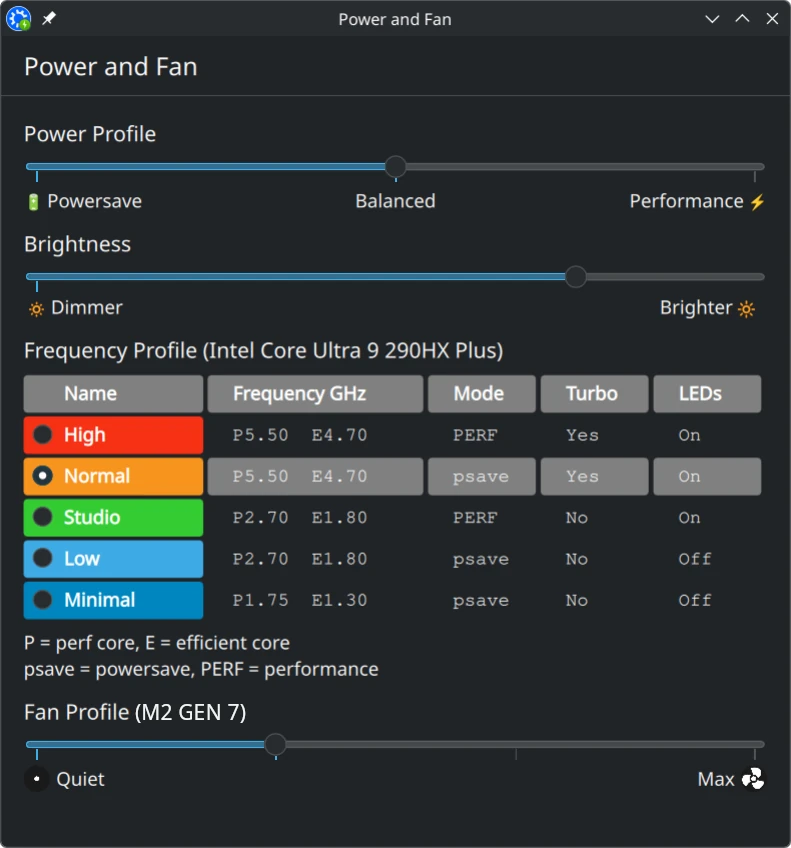
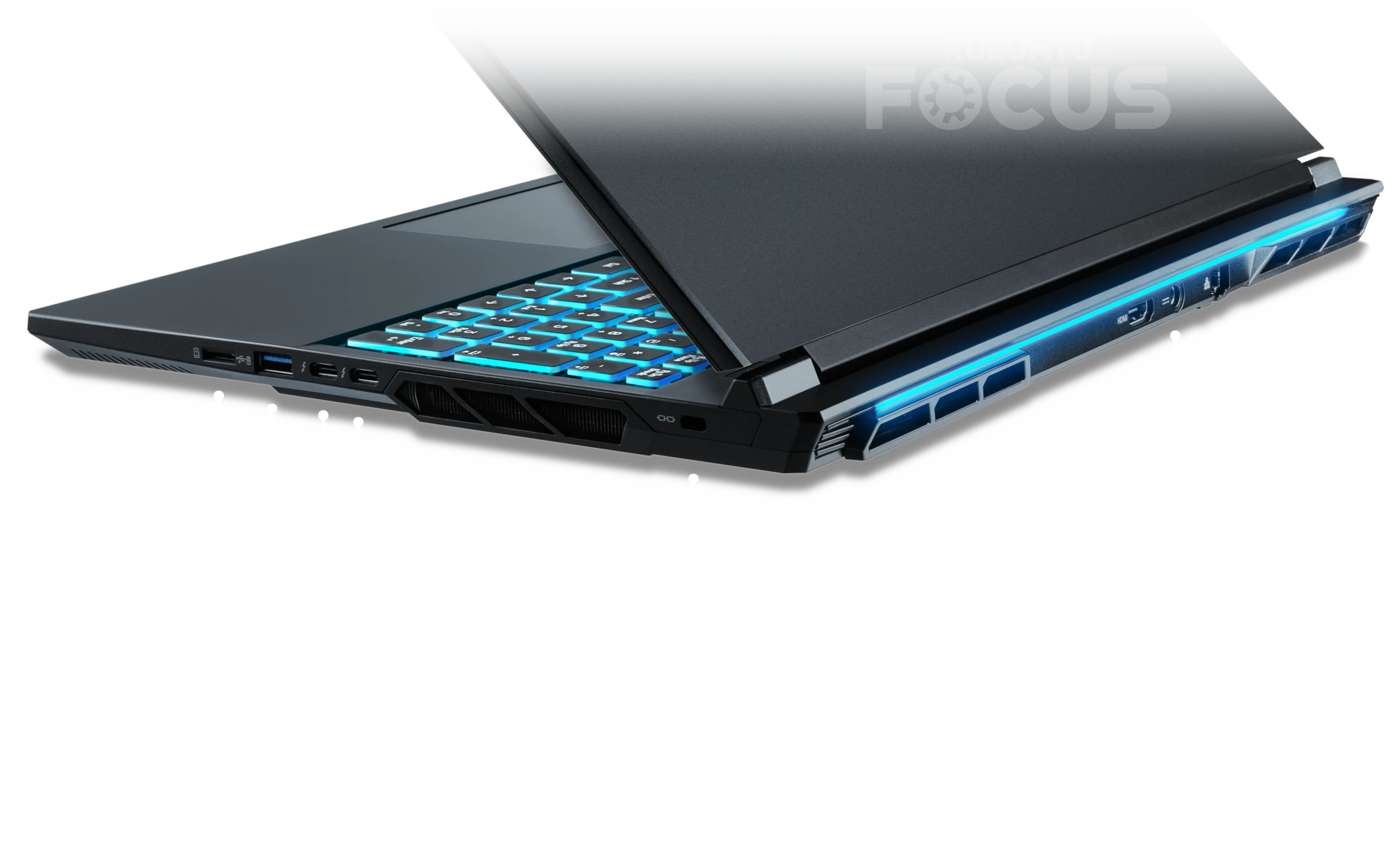
Communicate fast with high-speed Wi-Fi, Bluetooth, and Ethernet. Enjoy the ease of connecting just about anything to eight high-speed ports without expensive dongles or docks.
Rapidly communicate using technologies like 2.5 Gigabit Ethernet, Wi-Fi 7, and Bluetooth 5.4, whether at home, at work, or on the road.
Connect to anything, anytime, with all the high-speed ports you need. For example, you can surround yourself with three external 4K monitors, edit photos from a micro SD card, navigate with a wireless mouse and keyboard, and charge-and-debug a phone. All at the same time.

We benchmark all Focus systems extensively to optimize for compatibility and performance. We hope you find the highlights below helpful when assessing the capabilities of the M2 GEN 7. We encourage you to compare the results here with your device or others.
Run GPU-accelerated ML in minutes with the Focus Deep Learning Suite. It guides you to install Anaconda and then add and test TensorFlow, PyTorch, and Jupyter Notebook as needed. Develop with industry-standard PyCharm from the included JetBrains Toolbox.
We continuously validate, curate, and pin the Deep Learning Suite, graphics drivers, CUDA, cuDNN, TensorRT, and OptiX to always provide excellent performance, reliability, and compatibility across ML and GPU workloads. Improvements and maintenance are provided seamlessly through normal software updates.
We tested using Stable Diffusion 1.5 and Qwen3-0-6b tests. The TSMC “4N” lithography and fifth-generation Tensor cores make the 50-series GPUs faster, cooler, and more efficient.
| Model | Zr GEN 2 (18.0") | Zr GEN 2 (18.0") | M2 GEN 7 (16.0") | M2 GEN 6 (16.0") | M2 GEN 5 (17.3") | M2 GEN 5 (17.3") | M2 GEN 5 (15.6") |
|---|---|---|---|---|---|---|---|
| GPU | RTX 5090 M | RTX 5080 M | RTX 5070 Ti M | RTX 5070 Ti M | RTX 4090 M | RTX 4080 M | RTX 4070 M |
| Stable Diffusion 1.5 | 143 Images | 116 Images | 94 Images | 92 Images | 127 Images | 118 Images | 80 Images |
| Qwen03-0-6b | 544 Gen | 534 Gen | 486 Gen | 482 Gen | 579 Gen | 528 Gen | 459 Gen |
| Video RAM | 24 GB | 16 GB | 12 GB | 12 GB | 16 GB | 12 GB | 8 GB |
GPU-accelerated performance is generally around 30x greater than CPU-only ML pipelines on the same device. Stable Diffusion and Qwen3-0-6b are found on the United Compute scoreboard in their respective tabs.
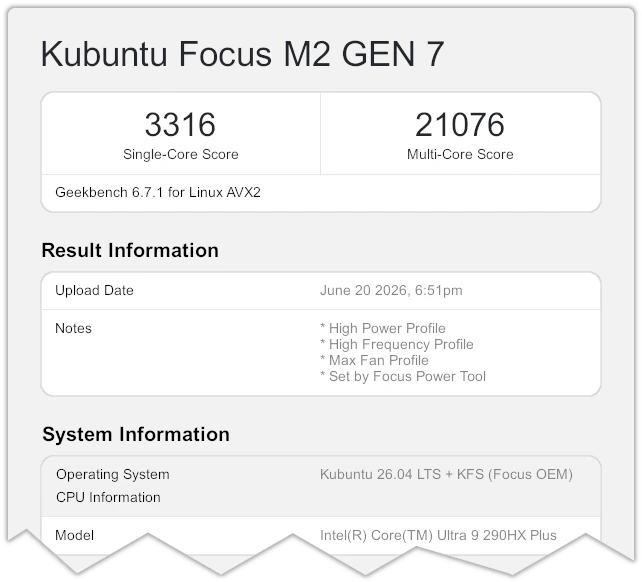
In addition to its much higher efficiency and cooler temperature, the Ultra 9 290HX Plus CPU shows performance increases of 5% and 11% for single-and multi-core scores over the i9-14900HX CPU from the M2 GEN 5 model. The superior cooling and the high-speed DDR5 RAM enable the 8 performance cores, 16 efficiency cores, and 24 threads of the “Arrow Lake Refresh” processor to achieve peak performance.
| Model | M2 GEN 7 (16.0") | M2 GEN 6 (16.0") | M2 GEN 5 (15.6") | M2 GEN 5 (15.6") | M2 GEN 4 (15.6") | M2 GEN 3 (15.6") |
|---|---|---|---|---|---|---|
| CPU | Ultra 9 290HX Plus | Ultra 9 275HX | i9 14900HX | i9 13900HX | i7 12700H | i7 11800H |
| GB 6 Single GB 6 Multi | 3,316 21,076 | 3,214 19,524 | 3,208 17,274 | 2,881 15,616 | 2,510 12,060 | na |
| GB 5 Single GB 5 Multi | 2,525 23,818 | 2,405 23,818 | 2,288 21,539 | 2,120 19,807 | 1,893 12,753 | 1,690 10,410 |
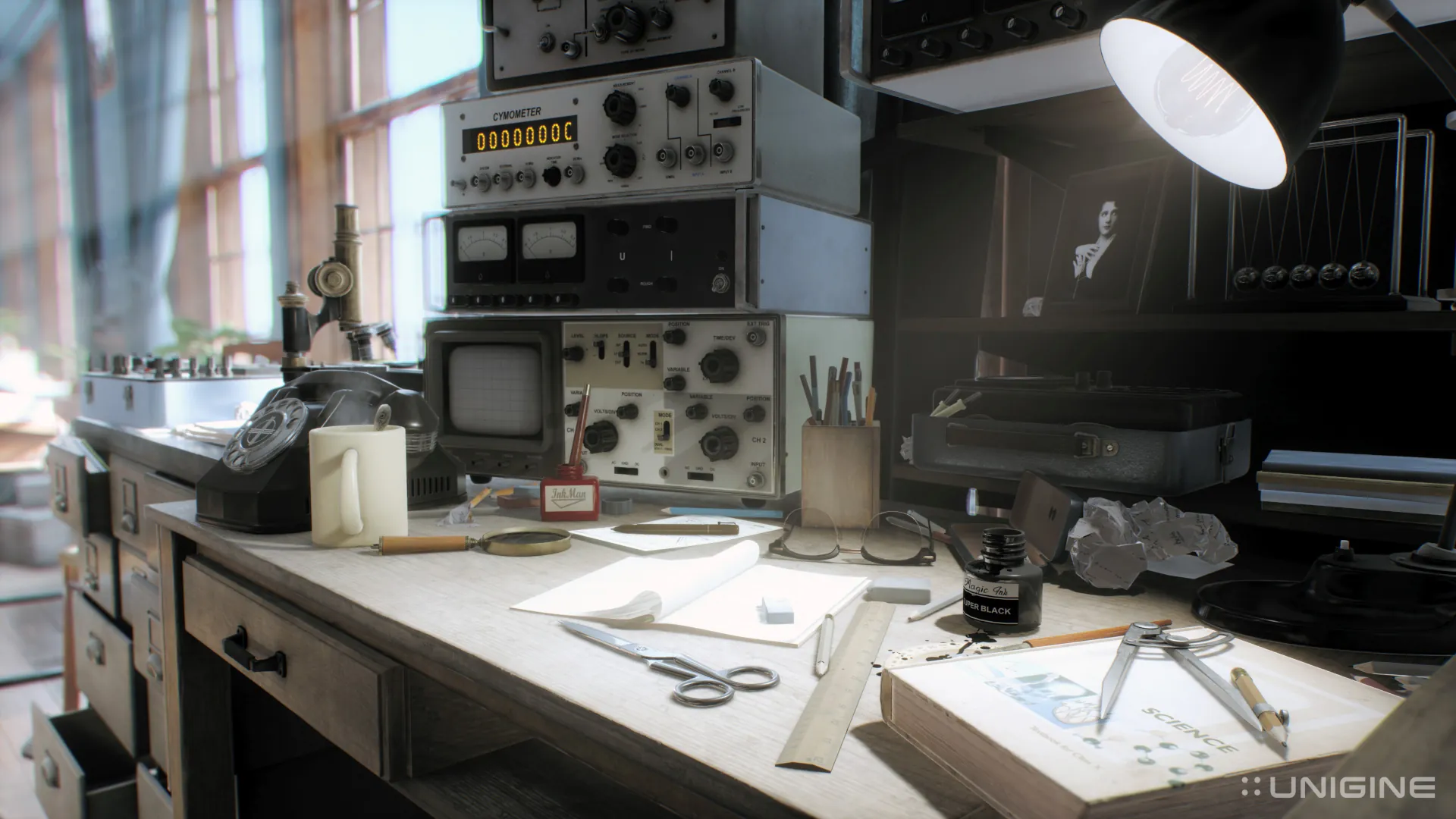
Experience unparalleled mobile GPU performance. The 12 GB RTX 5070 Ti is the most powerful GPU we've ever offered in this form factor.
When plugged in, the GPU uses the highest available frequencies to provide maximum performance.[02a] Compare this with some laptops which throttle frequencies up to 40% to fit a bigger GPU in a smaller case. A full-speed GPU, like the one in the M2, can out-perform some frequency-throttled GPUs with nominally higher specs.
Run the most demanding benchmarks well over 60 FPS on High or Ultra settings. This GPU provides class-leading performance for video editing, simulations, 3D rendering, Steam games, and machine learning.
| Model [06] | M2 GEN 7 (16.0") | M2 GEN 6 (16.0") | M2 GEN 5 (15.6") | M2 GEN 4 (15.6") | M2 GEN 3 (15.6") |
|---|---|---|---|---|---|
| GPU | RTX 5070 Ti M | RTX 5070 Ti M | RTX 4070 M | RTX 4060 M | RTX 3080 Ti M |
| Superposition Medium 1080p | 192/25,843 | 192/25,843 | 136/18,140 | 124/16,511 | 135/18,119 |
| Superposition High 1080p | 141/18,788 | 141/18,788 | 103/13,744 | 93/12,421 | 100/13,411 |
| Superposition Extreme 1080p | 64/8,470 | 64/8,470 | 48/6,377 | 46/6,097 | 46/6,117 |
| Heaven 4 Medium[08] | 343/8,652 | 343/8,652 | 263/6,621 | 238/5,983 | 143/3,611 |
| Heaven 4 Ultra[09] | 201/5,002 | 197/4,961 | 137/3,452 | 128/3,213 | 93/2,326 |
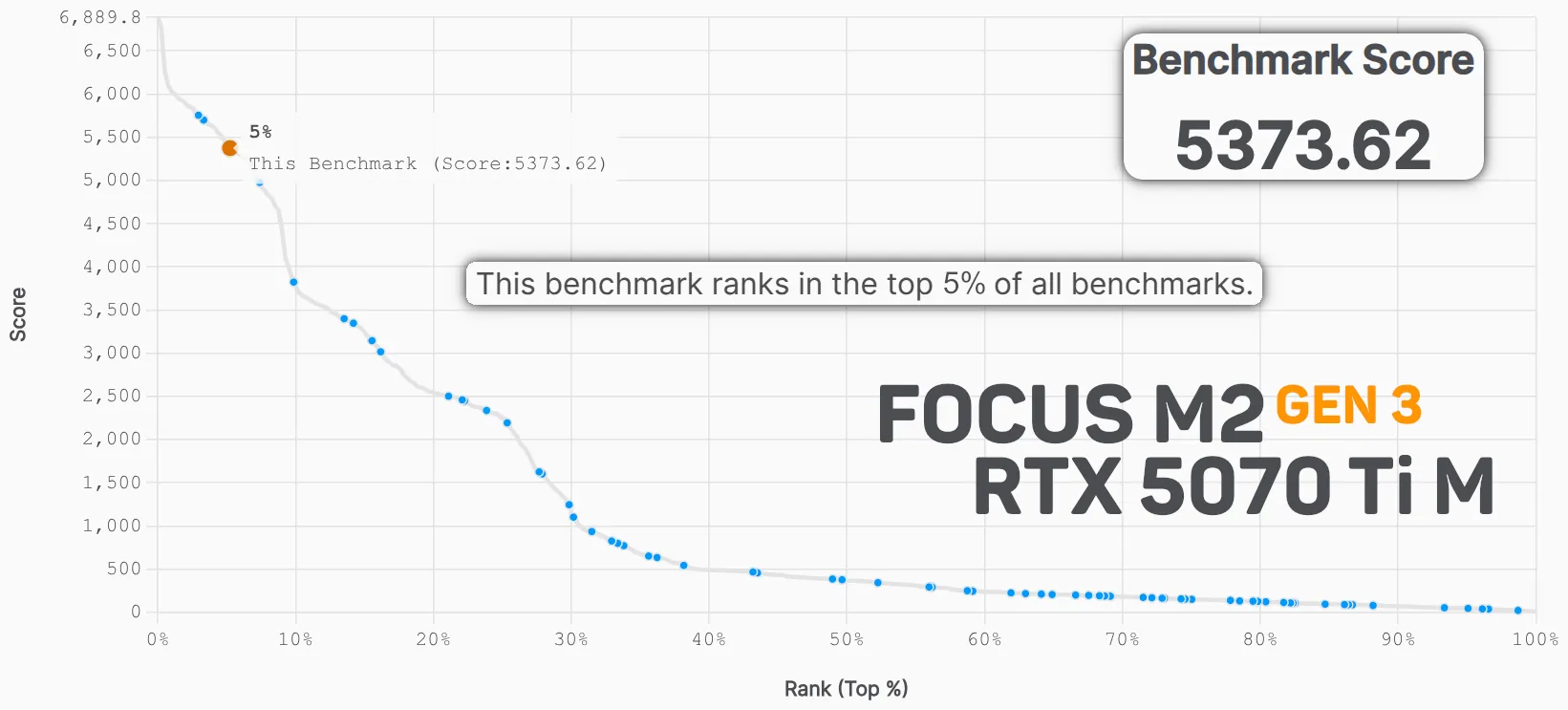
Render Blender scenes faster than 96% of all devices tested with the RTX 5070 Ti M. This is comparable to the most expensive proprietary Unix® laptops.
Besides the amazing GPU hardware, the OptiX rendering library provided with NVIDIA RTX GPUs is usually many times faster than OpenCL or CPU rendering used by non-NVIDIA systems.[10]
| Model | M2 GEN 7 (16.0") | M2 GEN 6 (16.0") | M2 GEN 5 (15.6") | M2 GEN 4 (15.6") | M2 GEN 3 (15.6") |
|---|---|---|---|---|---|
| GPU | RTX 5070 Ti M | RTX 5070 Ti M | RTX 4070 M | RTX 4060 M | RTX 3080 Ti M |
| Score | 5688 | 5688 | 4198 | 3828 | 3936 |
We believe that the M2 GEN 7 delivers an excellent balance of OS integration, validated Linux support, performance, reliability, and value. Here are the technical details to help you decide if this system is right for you. If you have questions, please call 844-536-2871 or write TellMeMore@kfocus.org.
| OS and SOFTWARE |
|
|---|---|
| DISPLAY |
|
| PROCESSORS | Intel 15th-Generation “Arrow Lake Refresh” Core Ultra 9 290HX Plus Processor
|
| GRAPHICS | Every M2 contains both a discrete GPU (dGPU) and an integrated GPU (iGPU). One can use the iGPU to maximize battery life or free up VRAM for GPU compute.
|
| MEMORY |
|
| STORAGE |
|
| CHASSIS |
|
| BATTERY |
|
| POWER SUPPLY |
|
| KEYBOARD |
|
| NETWORK AND BLUETOOTH |
|
| TOUCHPAD |
|
| WEBCAM |
|
| SOUND |
|
| PORTS |
|
| INTERNAL SLOTS AND EXPANSION |
|
| COOLING | Control using Focus Tool: Power and Fan
|
| SECURITY |
|
| WARRANTY |
|
[01] Unless otherwise noted, benchmarks were run on AC power with compositing disabled and the CPU set to high-performance mode with the linear fan curve. Max GPU temperature was 73° C and the max fan volume was 42 dB, measured two feet from the screen center.
[01a] See graph by Intel shown at CES 2025.
[02] [02a] NVIDIA RTX 5070 Ti M GPUs can be configured to use lower power limits; the M2 is configured to provide up to the maximum 140 W TGP when needed.
[04] Versus CPU-only ML pipelines.
[06] Unless otherwise noted, all GPUs shown are mobile variants. Scores are shown in the form Average FPS / Composite Score.
[08] Heaven Medium settings include medium quality, 1080p resolution, normal tessellation, and 2x antialiasing.
[09] Heaven Ultra settings include Ultra quality, 1080p resolution, normal tessellation, and 8x antialiasing.
[10] Blender results links include RTX 5070 Ti (5688), RTX 3080 Ti (3936), and RTX 4060 (3828). RTX 5070 Ti testing done using Blender 3.6 to provide accurate comparison with prior, 3.x-version benchmarks.
FREE SHIPPING: Applies to shipping to continental US and Canada. All orders are fully insured and signature verified. Shipping costs to other locations are reduced by an equivalent value which varies by model.
KUBUNTU 26.04 LTS + KFS: All Kubuntu Focus Systems will now ship with 26.04 LTS with the Kubuntu Focus Suite of tools, optimizations, and support, maintained for your system for a minimum of 3 years after last sale.
29 JUNE 2026: We are finalizing integration of Kubuntu 26.04 LTS with KFS to all systems, and expect to ship the first units with this OS on 29 June 2026.
HAVE QUESTIONS?Call 844-536-2871 or write
TellMeMore@kfocus.org | GET FOCUS MERCH